
Measure, don't guess
A trained eye sees the knee collapse. KINESTA tells you by how many degrees, on which side and in which rep, against published reference values.
KINESTA measures how your clients move with the iPhone, keeps every assessment so you can track their progress, and gives them a clear report with your logo.
The app guides the client by voice, marks the joints and counts only the valid reps.
Live capture, just as on the iPhone
Movement tests are often judged by eye. KINESTA turns them into measurements you can compare, explain and track.
A trained eye sees the knee collapse. KINESTA tells you by how many degrees, on which side and in which rep, against published reference values.
Repeat the same test under the same conditions throughout treatment. Every assessment stays in the client's file with its date and traffic light, and the numbers show whether the plan is working.
When clients see their numbers, they understand the problem and the plan. When they see them improve, they trust you and stick to the programme.
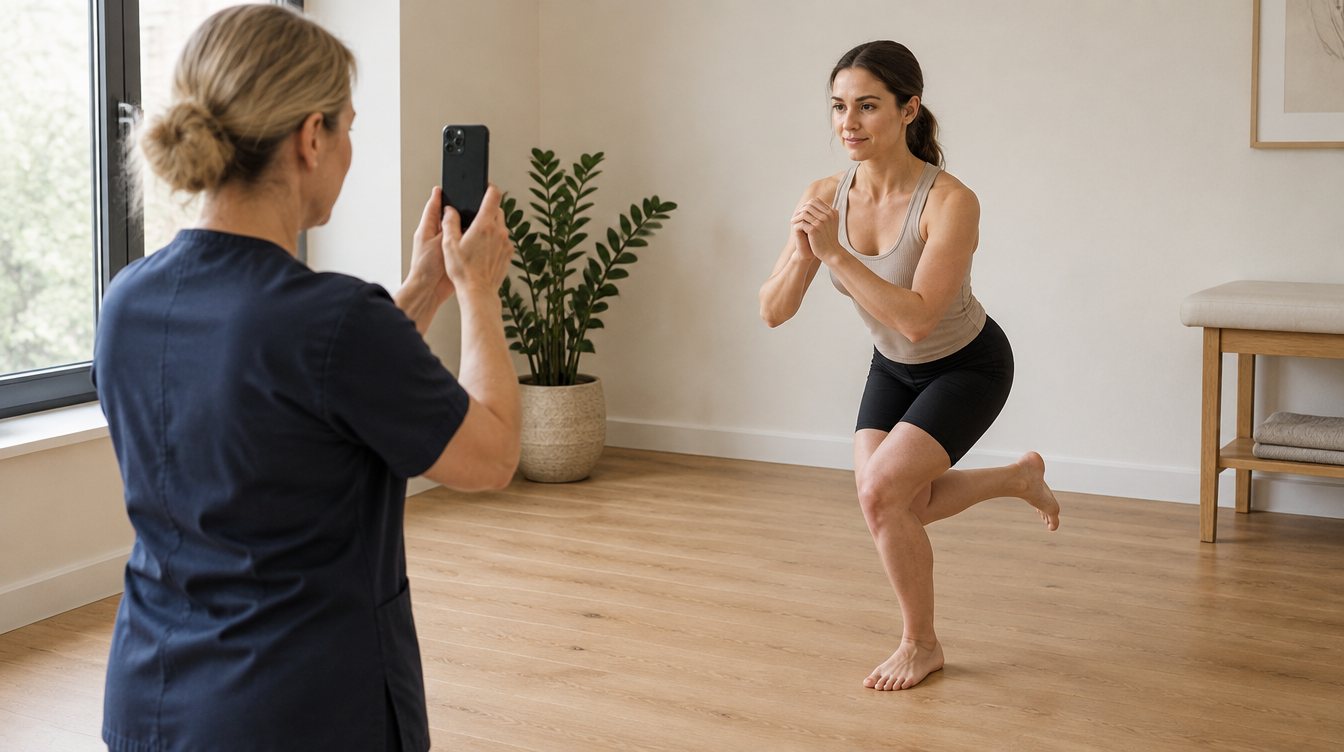
No sensors, no lab. Film with the iPhone; KINESTA counts, measures and compares.
Identify the client and pick the test group. The app explains how to set up each test.
The app tells the client what to do, marks the joints, counts the valid reps and repeats the ones that don't count.
One PDF per test, in the client's language, with your clinic's header. It is saved in the client's file.
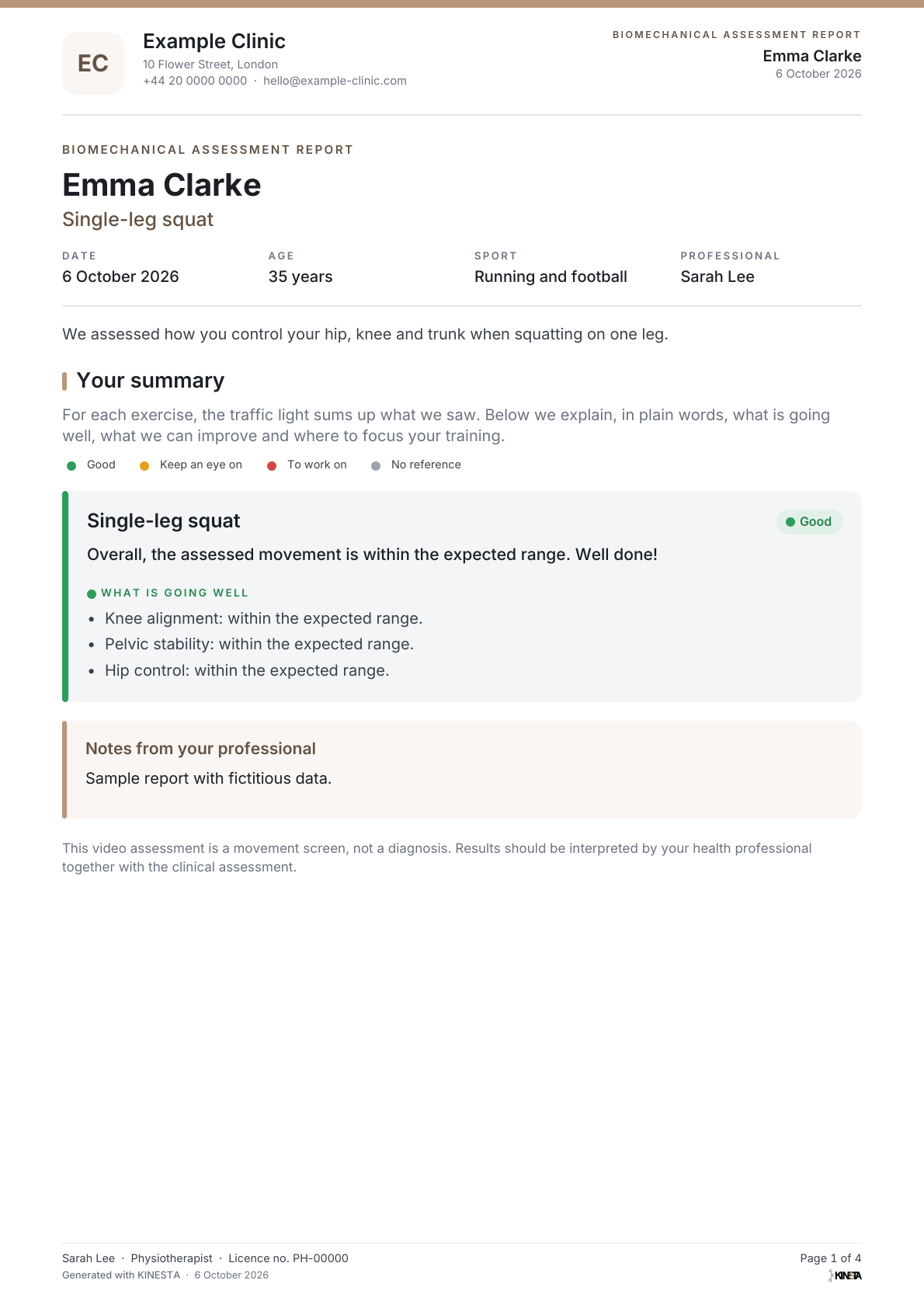
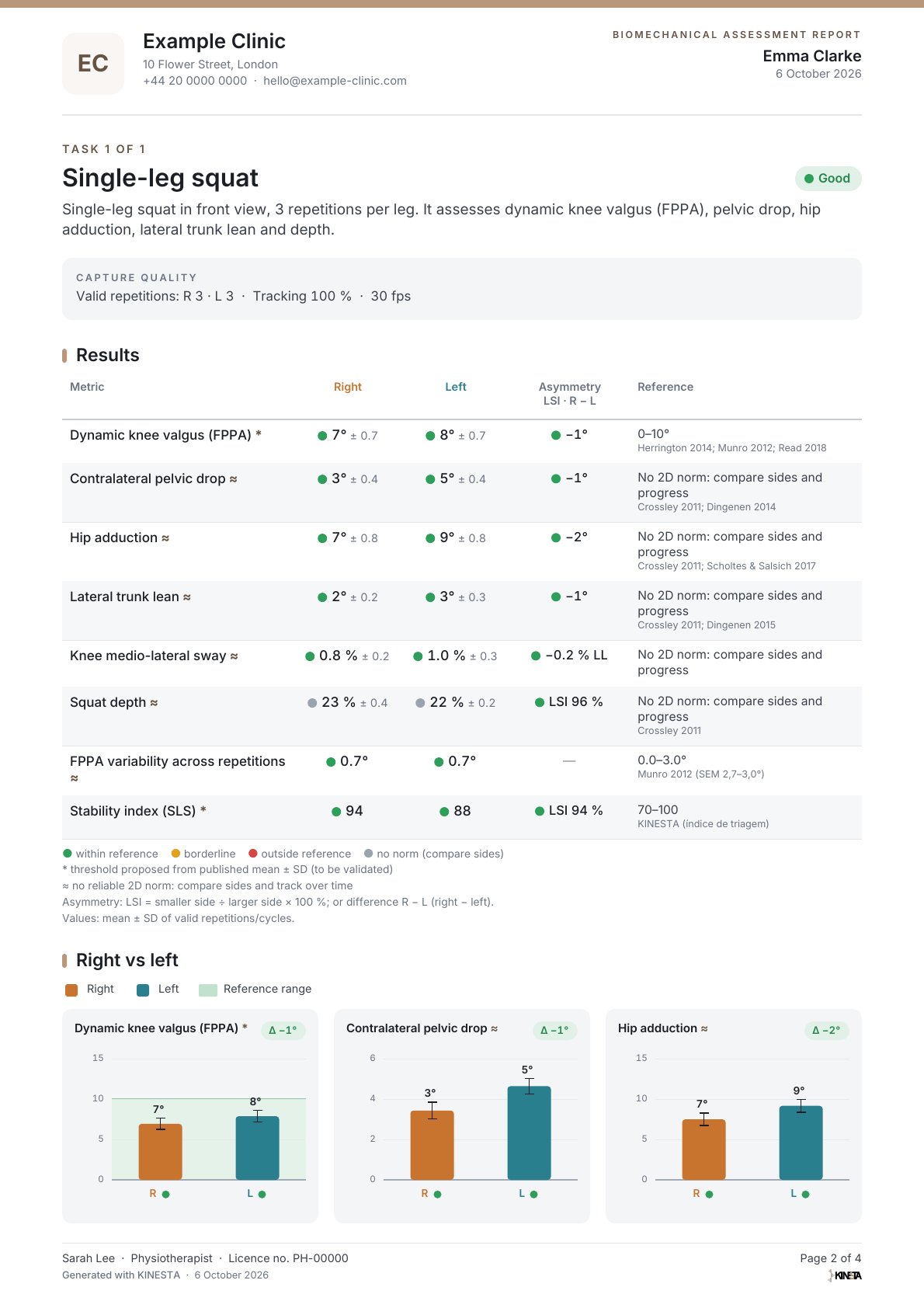
Each test has guided set-up, capture with markers and its own report.
Single-leg squat and deep squat: alignment, pelvic and trunk control, and mobility.
Drop jump, hop and hold and lateral step-down: landings, stabilisation and eccentric hip and pelvic control.
2D analysis of treadmill walking and running, from the front and from the side.
Top-speed sprint technique, filmed in slow motion and scored with the S-MAS. The app suggests each item; you confirm.
Sample reports
Sprint (S-MAS)PDF · 5 pages · 163 KB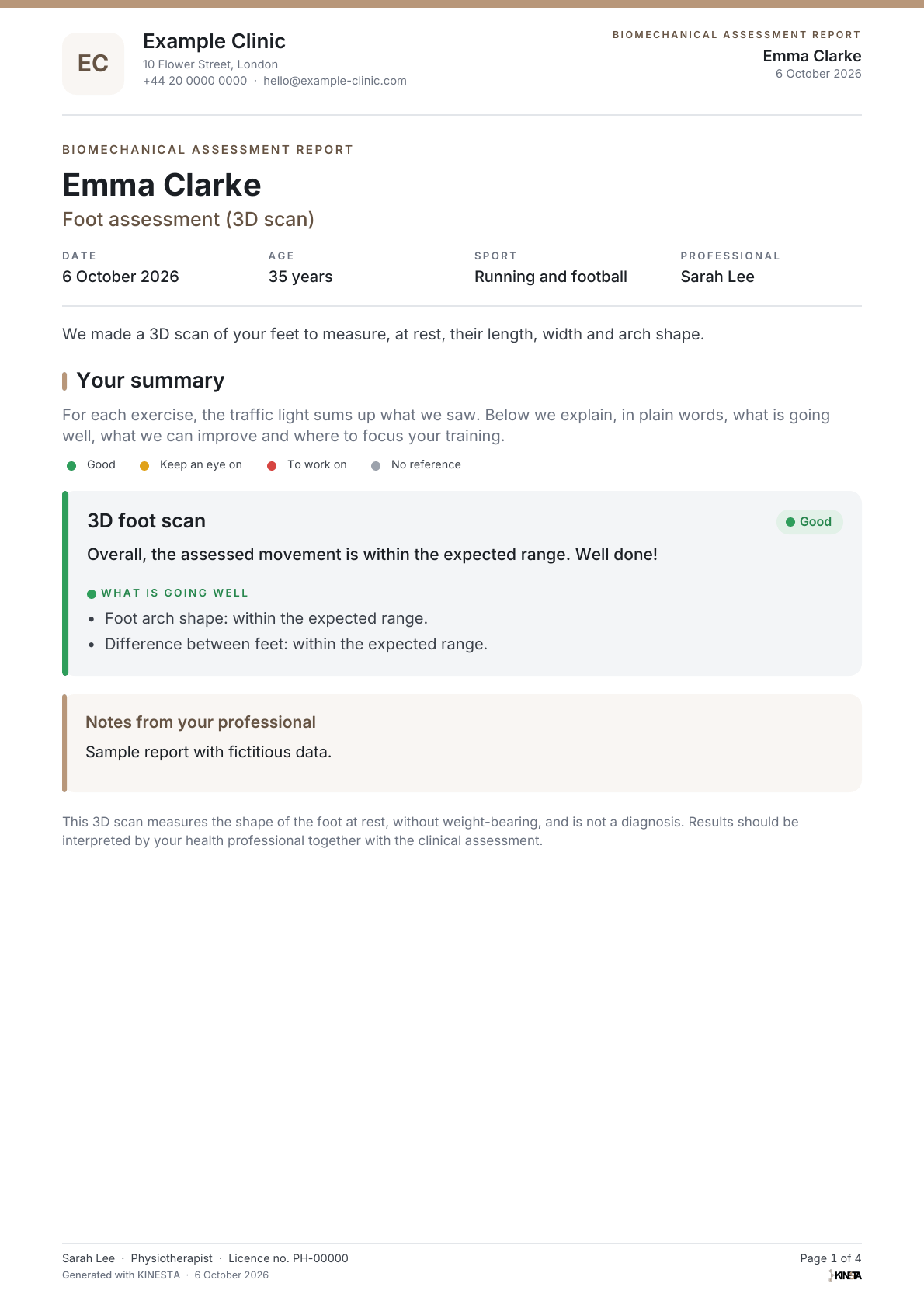
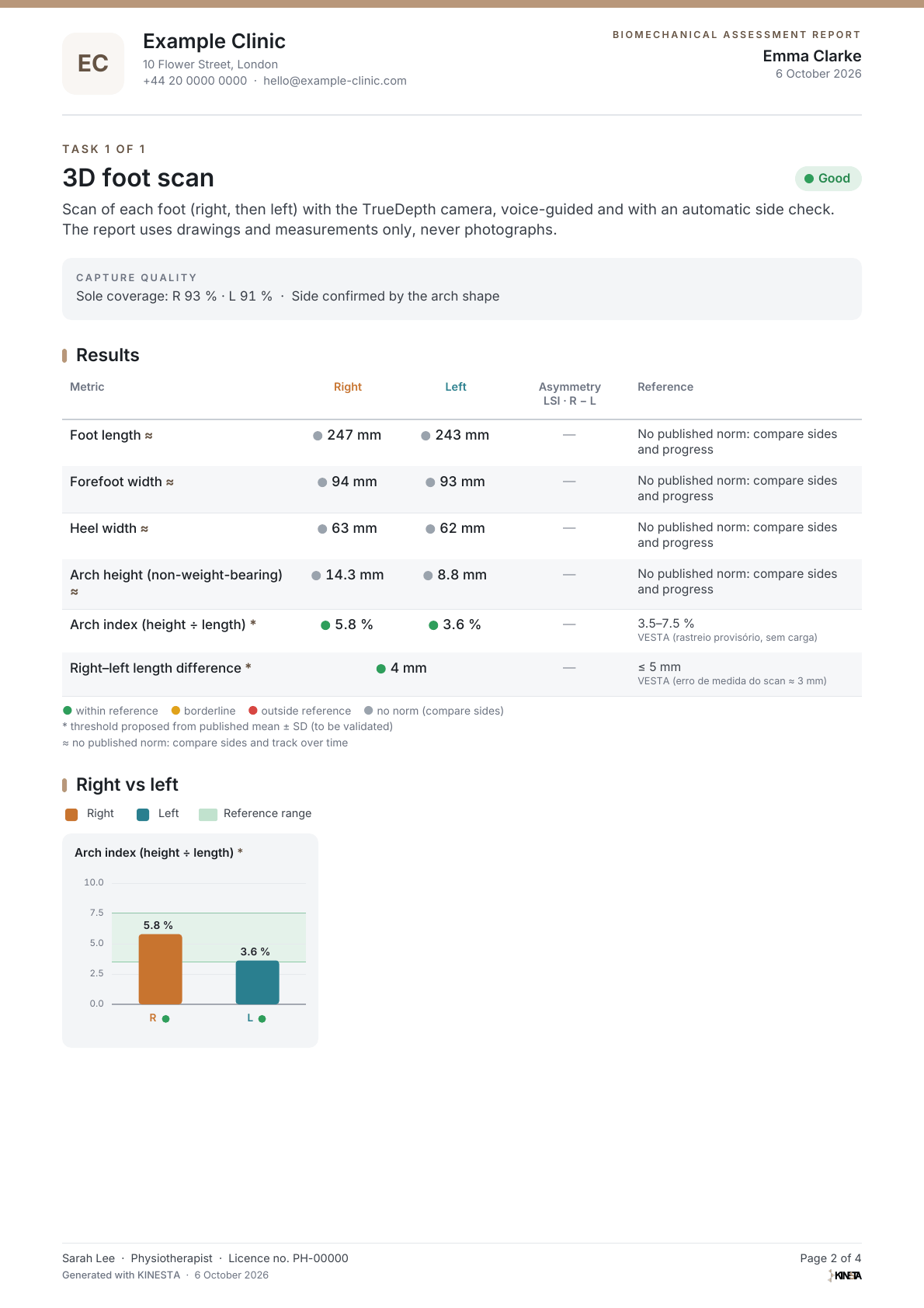
3D scan of both feet with the TrueDepth camera: length, width and arch, linked directly to VESTA insoles.
Sample reports
Foot assessment (3D scan)PDF · 4 pages · 146 KBEmma Clarke repeated the single-leg squat in April, June and October. Left knee dynamic valgus went from 15° to 8°, back inside the reference range.
Single-leg squat · Dynamic knee valgus (FPPA)
RightLeftReference 0–10°
The client's file keeps every assessment with its date and traffic-light summary. Open any earlier report and show your client how far they have come.
Page one is a plain-language summary. After that, only clinically relevant data: right and left, asymmetry and published reference values, with the source.
What is going well, what to improve and the training focus, in plain language.
Right, left, asymmetry and the published reference value next to every metric.
Clinic name, contacts and logo on every page.
Portuguese, English, French or Spanish.
Generated by KINESTA for a fictitious client, one PDF per test.
Reference values come from the literature, and each report says when a threshold is a proposal or has no 2D norm. KINESTA is a screening and monitoring tool; the diagnosis stays yours.
Herrington 2014 · Herrington & Munro 2010 · Crossley 2011 · Dingenen 2014, 2018 · Flanagan 2008 · Ross 2005 · Heiderscheit 2011 · Bramah 2018, 2024 · Altman & Davis 2012 · Stenum 2021
Videos, assessments and reports are stored on the device. No ads, no tracking. Nothing leaves the iPhone unless you send it.
The app, the voice guidance and the reports in Portuguese, English, French and Spanish.
Português · English · Français · Español
per month
after the free week
Just an iPhone. For the drop jump, a stable ~30 cm box; for the step-down, a ~20 cm step; for walking and running, a treadmill. The foot scan uses the TrueDepth camera (iPhone with Face ID).
Yes. Every assessment stays in the client's file with its date and traffic-light summary, and you can open or resend any earlier report. Repeat the test under the same conditions so the comparison is valid.
No. It is a 2D video analysis, with a typical error of 4–7° compared with 3D. Use it to screen, compare sides and track progress over time.
On your iPhone. KINESTA does not receive the videos or the reports. Reports are sent to the client from your own e-mail account.
The first 7 days are free. Then €10 a month, renewed by Apple. You can cancel at any time in your App Store settings, at no cost.
Yes. Add your logo, clinic name and contacts to your profile; they appear on every report.